Ride camera with live telemetry

Put your ride on camera.

Record video with speed, board battery, route, altitude, and weather on screen. AtlasCam saves the ride data with the clip, so you can replay the route or export a video with the HUD.

  • Live camera HUD
  • 15-second highlight reel
  • Telemetry overlay export
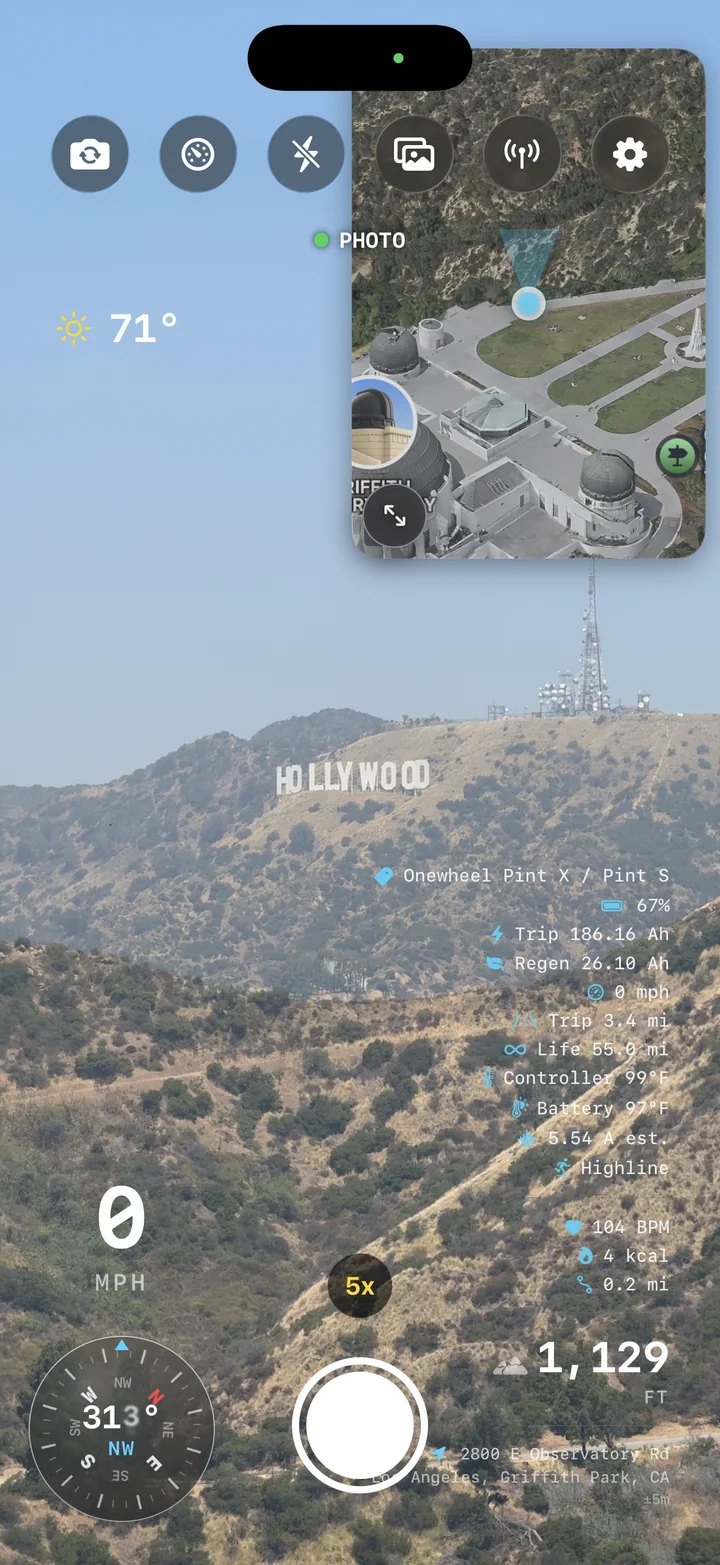
AtlasCam live camera HUD overlooking the Hollywood sign with Onewheel board telemetry, map, compass, and speed

What it captures

Record the footage and the ride data together.

See speed and board data while you ride, then replay the route beside your video. Read the app guide.

AtlasCam camera screen overlooking the Hollywood hills with live telemetry overlays and zoom controls

Live capture

Frame the shot and the ride data at once.

The camera shows elevation, heading, speed, and weather while you ride. Connect a board to add its telemetry. GPS logging starts with the clip.

  • Speed, altitude, compass, and weather overlays
  • Onewheel board battery, speed, energy, and riding mode
  • GPS logging begins with the clip
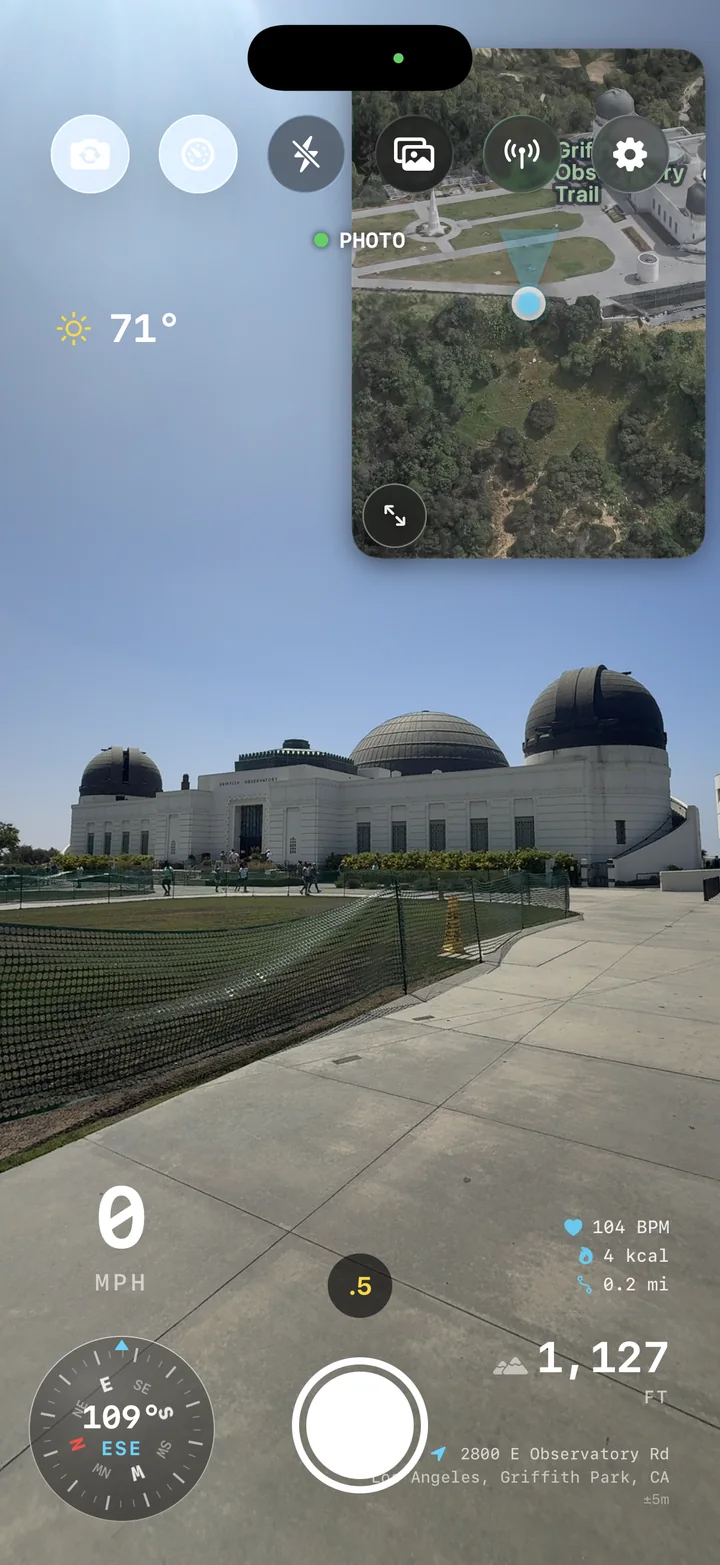
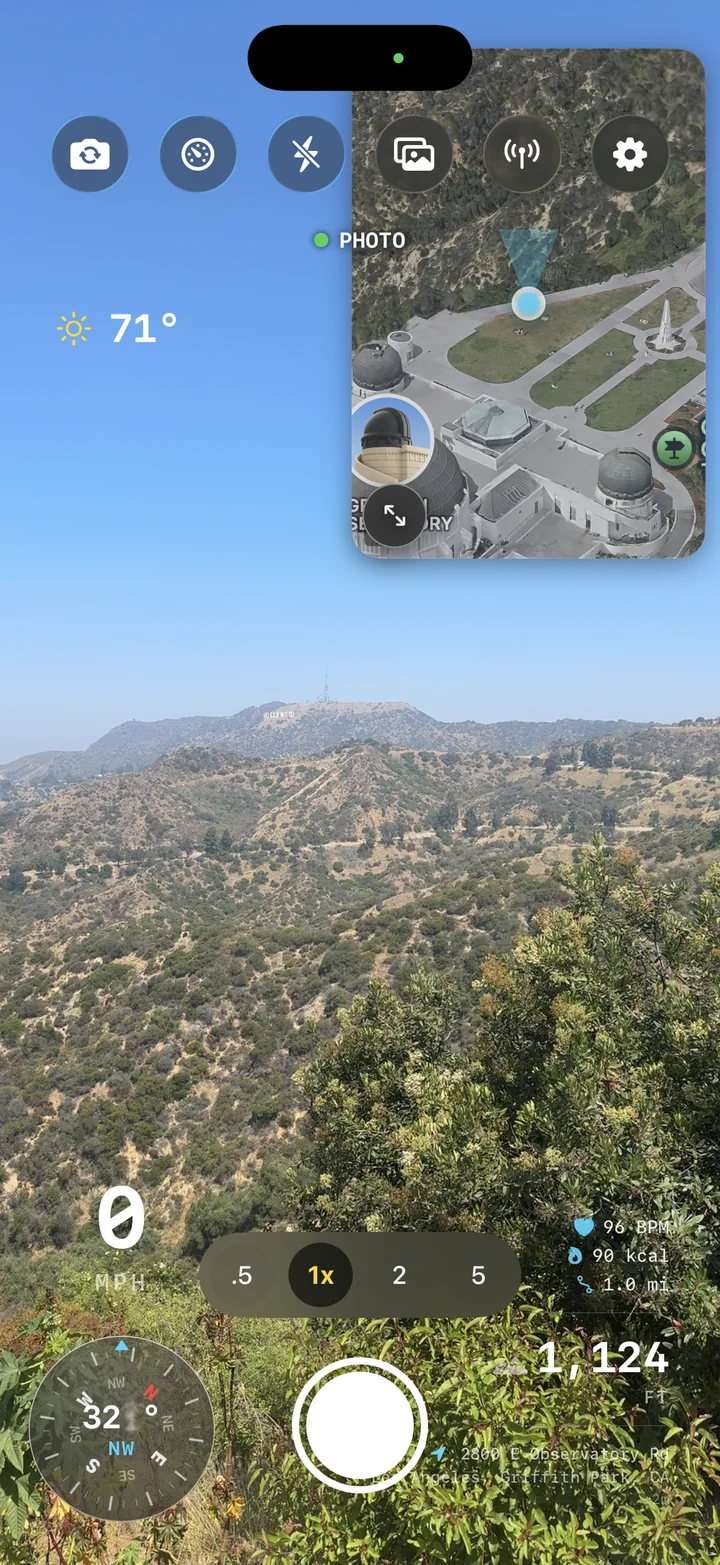
AtlasCam camera view at Griffith Observatory with weather, map, speed, and heart-rate metrics overlaid

Telemetry HUD

Make the numbers part of the story.

Choose which details sit over the footage: speed, climb, direction, place, or conditions. Move and style the overlays for each clip.

  • Designed overlays for action footage
  • Readable data at social-video sizes
  • Custom export layouts for each clip
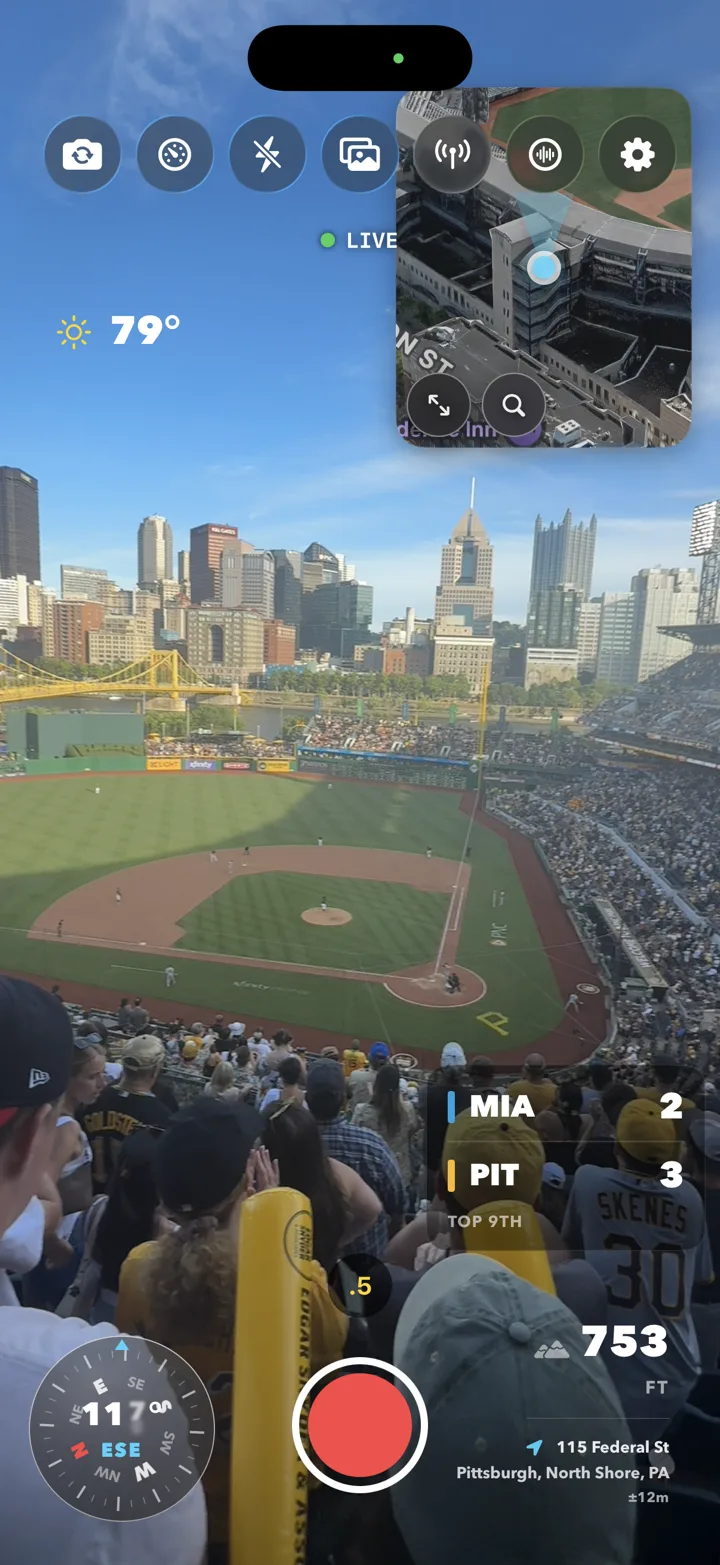
AtlasCam camera view from the stands at a Pirates ballgame with a live scorebug reading MIA 2, PIT 3, top of the 9th, alongside weather, compass, altitude, and location overlays

Live sports

Catch the game in your clips, score and all.

At a ballpark, AtlasCam can find the nearby game or let you choose it. Add the score, teams, and inning to the shot.

  • Live score, inning, and team colors on the HUD
  • Auto-detects the game at the nearest ballpark — or pick it yourself
  • Baked into every photo and video export, right beside your telemetry
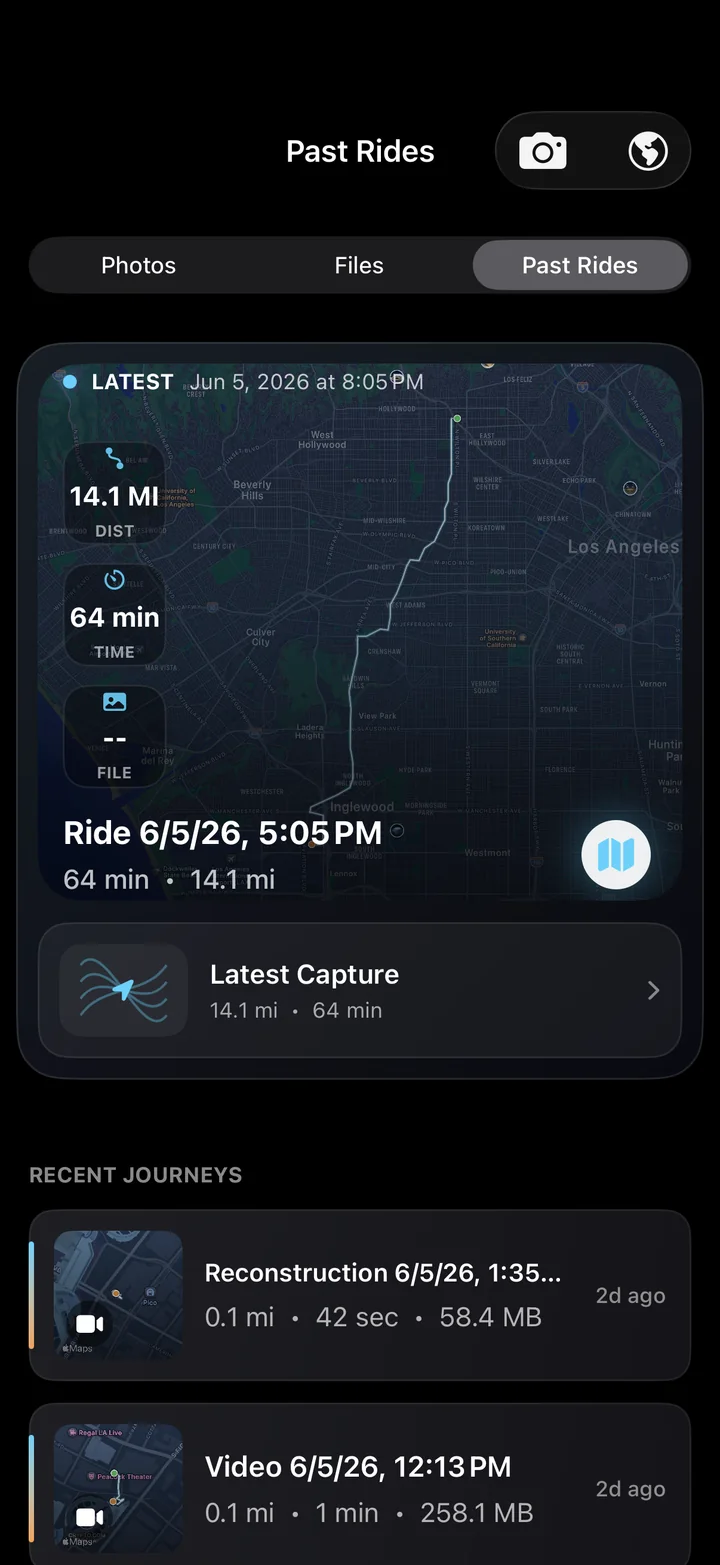
AtlasCam Past Rides library with a mapped ride record and recent journeys

3D relive

Look back on your rides, from above.

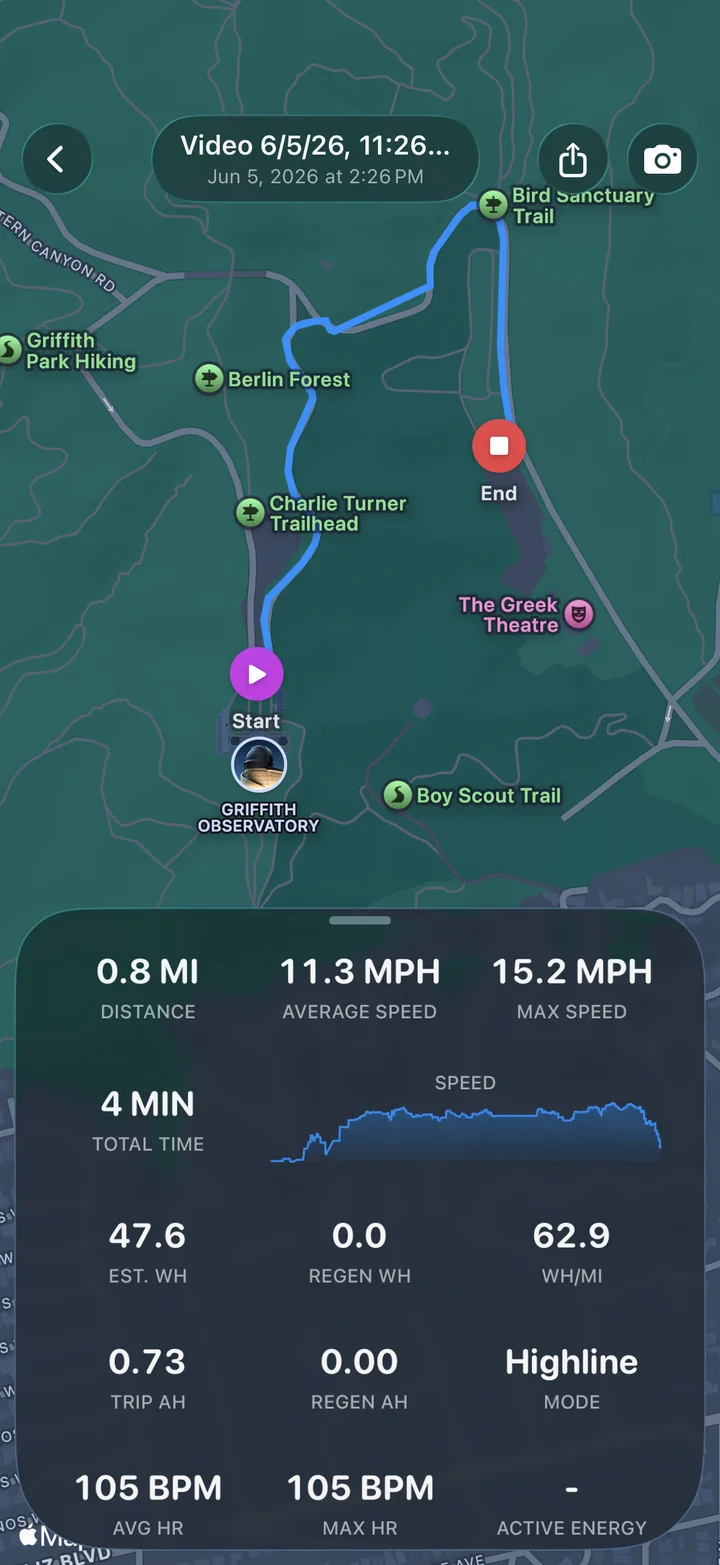
Follow the route on a 3D map beside the captured video. Check the turns and climbs, then find the segment you want to keep.

  • Route playback with synchronized media
  • Map perspective for turns, climbs, and descents
  • Stats saved alongside each ride
AtlasCam ride replay with route map, speed graph, and ride stats

Make Reel

Finish with the clip you meant to post.

Make Reel selects a 15-second clip around peak speed and frames it for social video. Free exports keep the “Shot on AtlasCam” badge.

  • Vertical, square, landscape, or original-format exports
  • Distance, elevation, max speed, and duration
  • #AtlasCamRide sharing prompt after export

Mac companion app

Finish the ride in AtlasCam Studio.

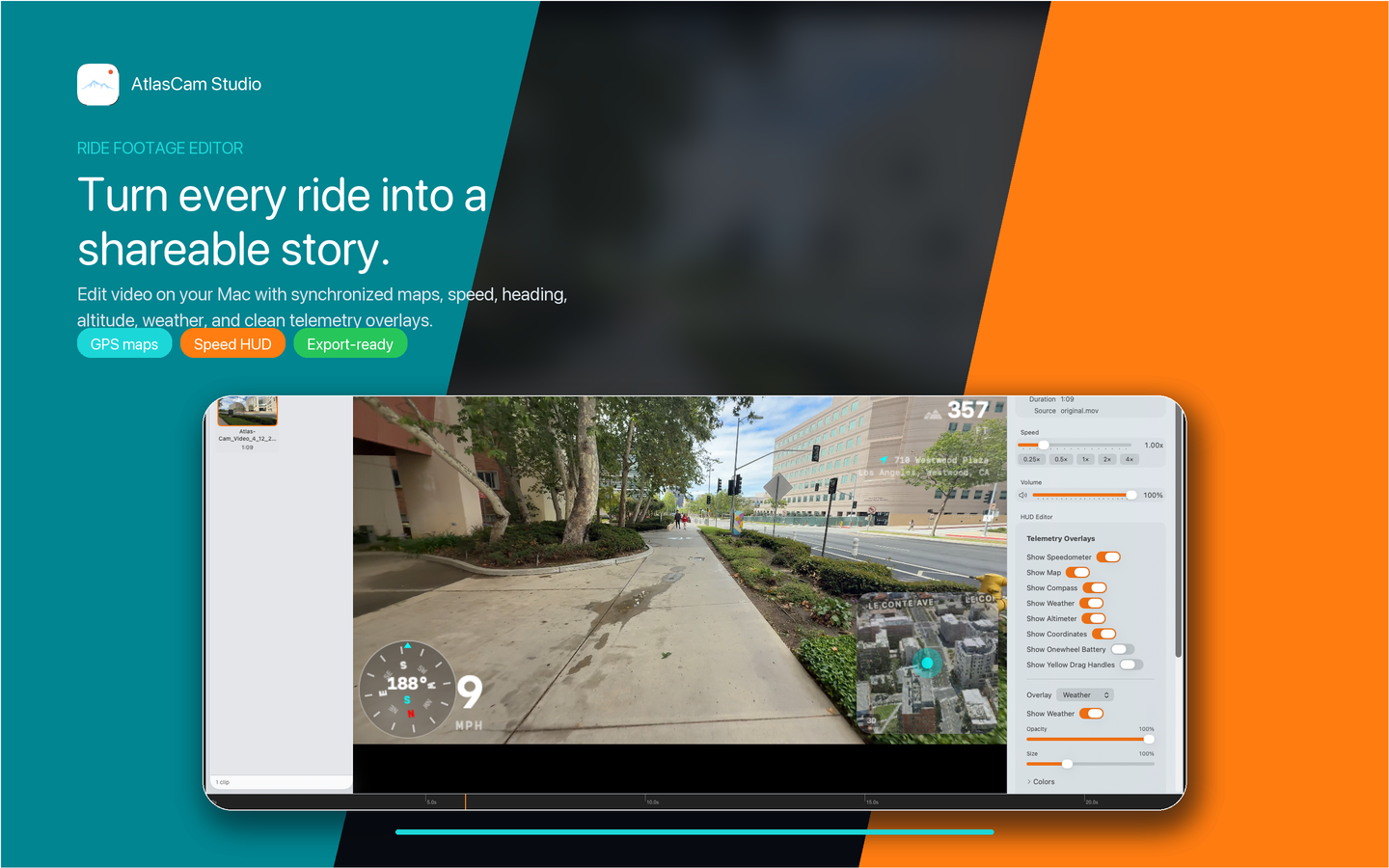
AtlasCam Studio is the Mac editor for ride footage. Import clips, adjust telemetry overlays on a timeline, and export the video.

AtlasCam Studio editing a ride video with telemetry overlays, map, and export controls

Desktop editing

Edit ride footage on your Mac.

See the video, synced telemetry, map, and HUD controls together. Adjust the overlay, preview the timeline, and export.

  • Import AtlasCam ride folders and clips
  • Review footage with synchronized telemetry
  • Prepare export-ready videos on macOS
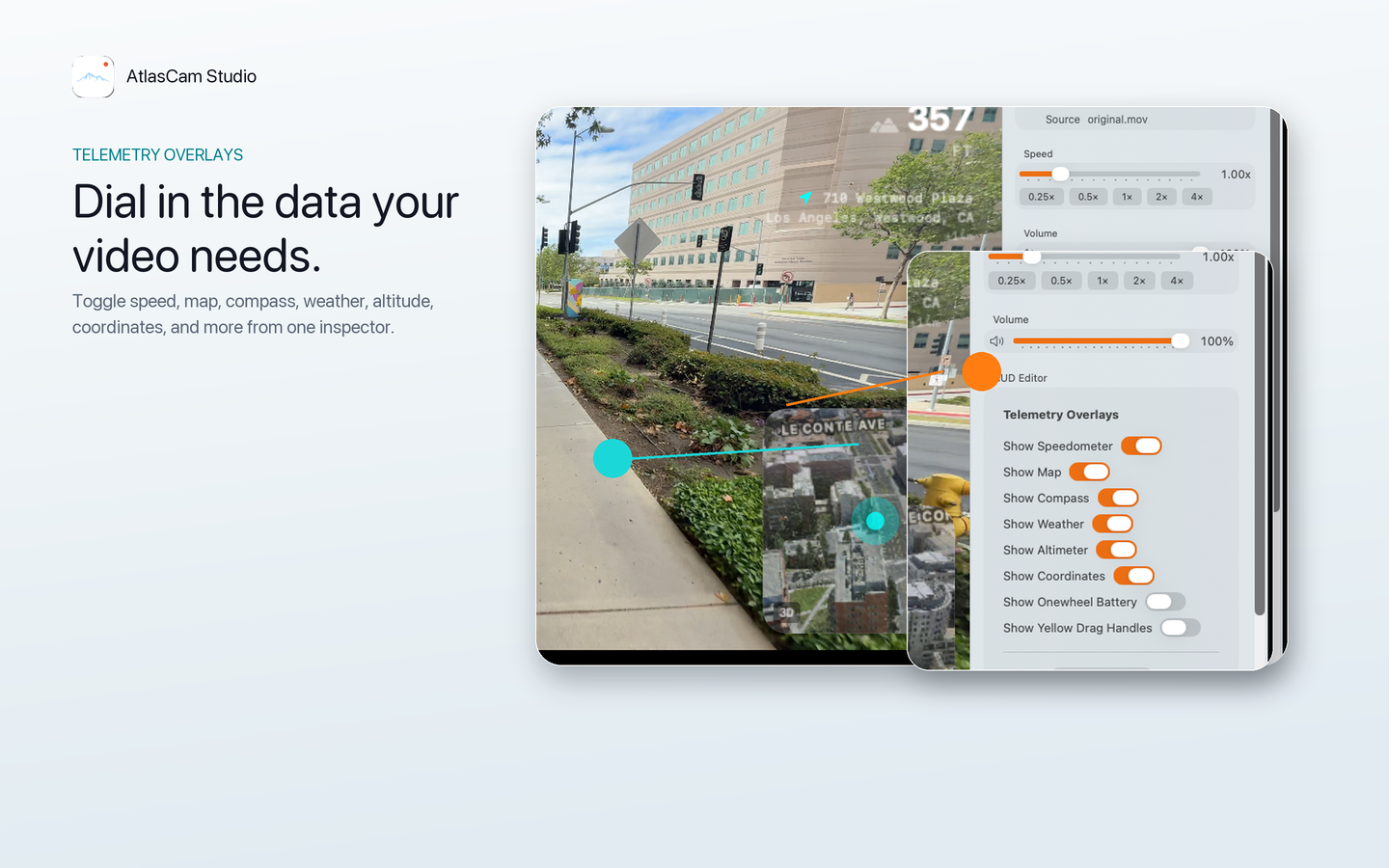
AtlasCam Studio overlay controls for map, compass, speed, weather, altitude, and coordinates

Dial in the HUD.

Toggle and tune maps, compass, speed, weather, altitude, coordinates, and other telemetry overlays from one inspector.

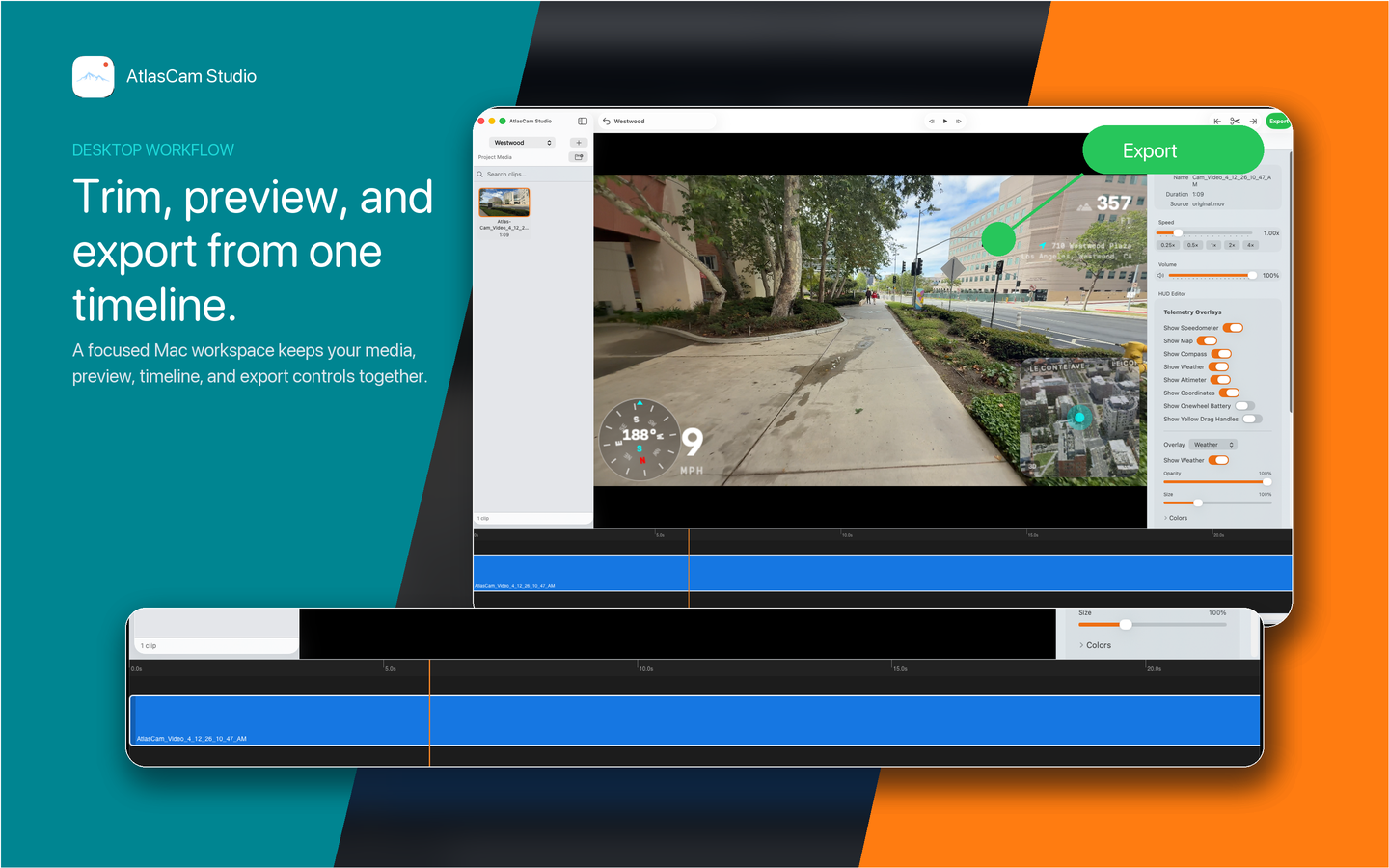
AtlasCam Studio timeline with preview and export controls

Trim, preview, export.

Use a focused Mac workspace for media, preview, timeline, and export controls before sharing the final ride video.

More reasons you'll want AtlasCam on your next ride.

Every route, kept

Each session becomes a mapped ride record with stats, media, and the exact line you took.

Heart-rate metrics

Optional heart rate and workout data from supported sensors, synced into the ride record.

Weather, remembered

Conditions are logged with every clip, so the footage keeps its context.

Board telemetry

Onewheel battery, speed, energy, and riding mode — live on the HUD and in exports.

Zero-edit exports

Clean clips or telemetry-rich videos that show what happened without extra editing.

#AtlasCamRide

A sharing prompt after every export, so the best moments find the community.

Have a nice ride!

Download AtlasCam and start recording videos that remember where, how fast, and how high you went.

Download on the App Store