Onewheel ride camera + telemetry reels

AtlasCam

Record the ride and the data behind it. AtlasCam turns Onewheel footage into shareable clips with speed, board battery, route context, Apple Watch metrics, and a polished #AtlasCamRide reel.

Live
Camera HUD
15s
Make Reel
Export
Overlay video
01

Record with context

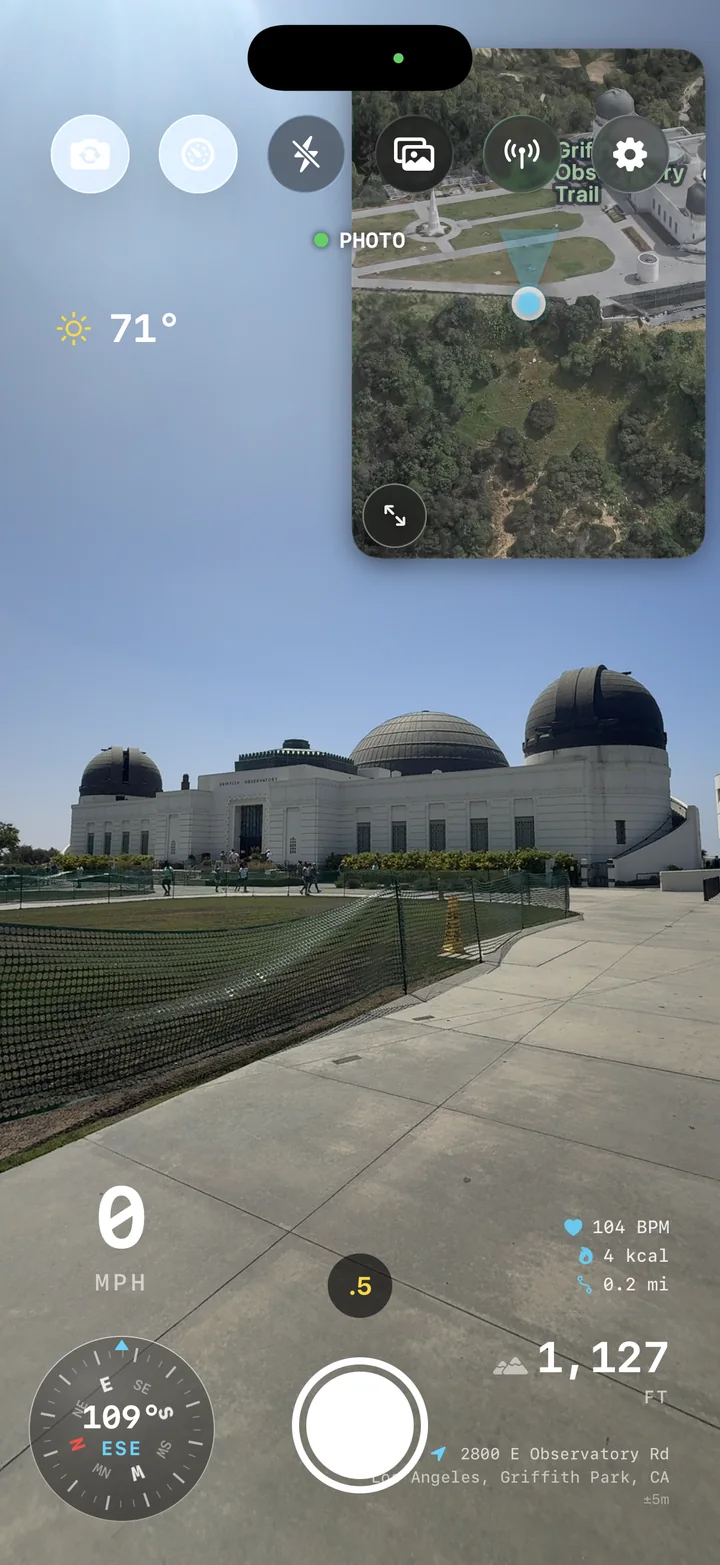
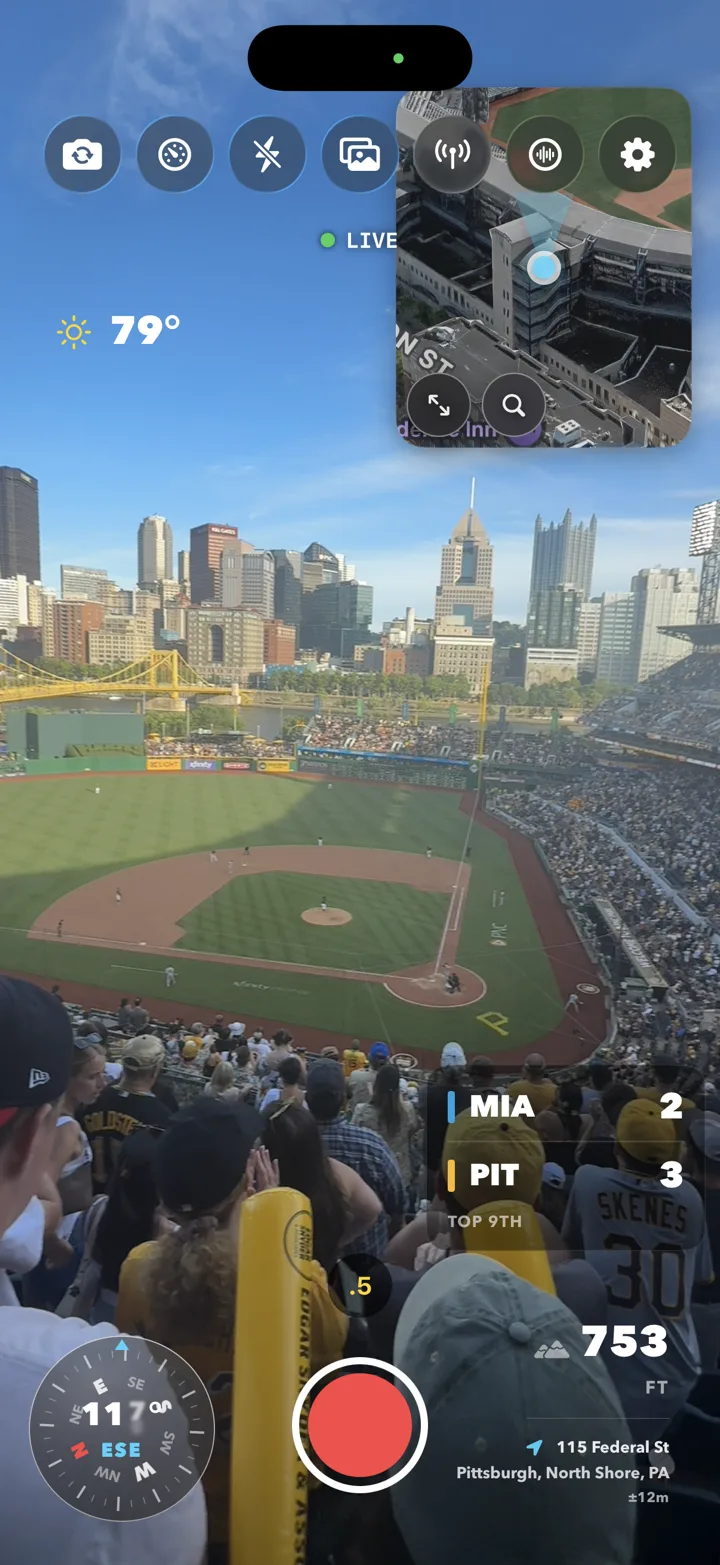
See the camera, location, compass, altitude, speed, and weather together while you capture the moment.

02

Keep every route

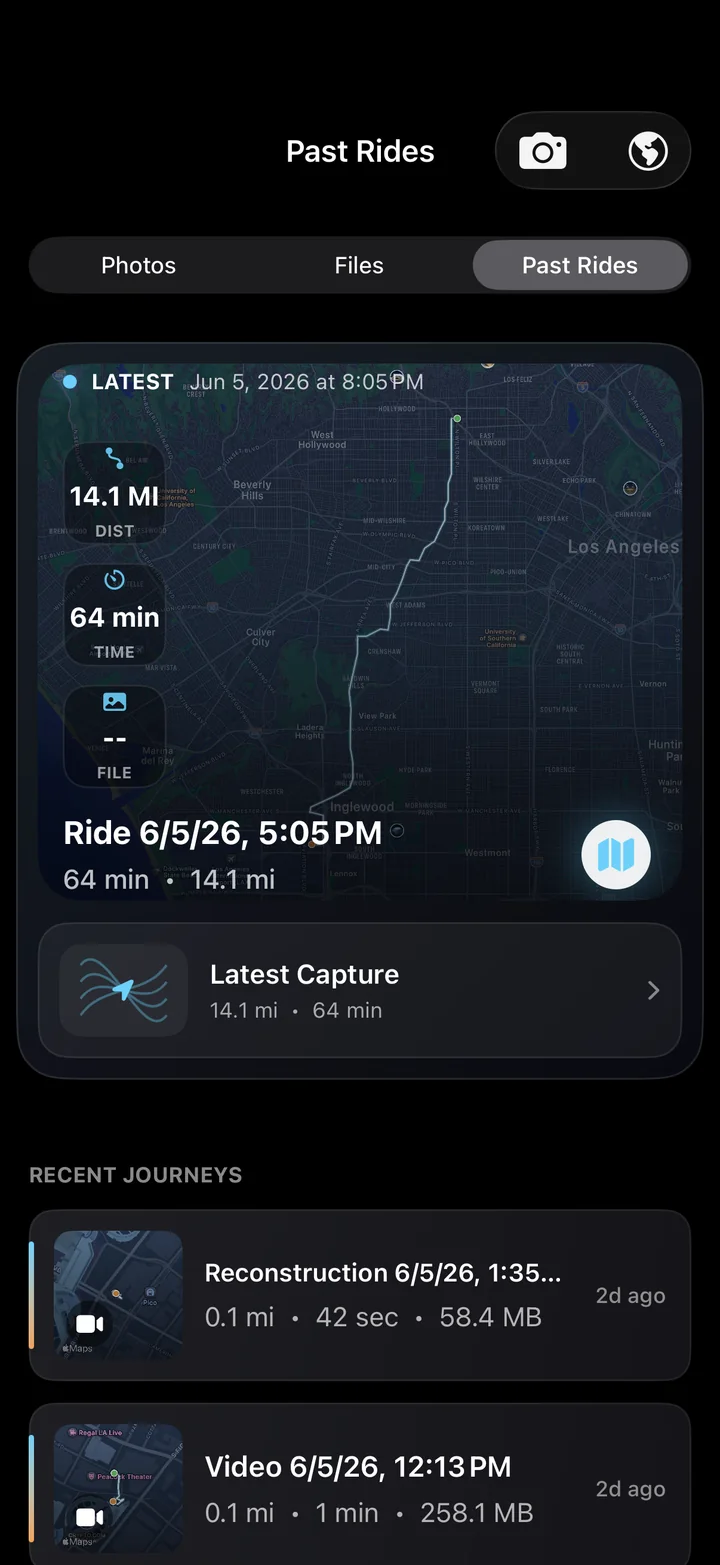
Each session becomes a mapped ride record with stats, media, and the exact line you took.

03

Share the proof

Export clean clips or telemetry-rich videos that show what happened without extra editing.

What it captures

Built for Onewheel lines, fast clips, and ride replays.

AtlasCam turns your phone into a telemetry camera for moments where speed, board data, and the line matter as much as the footage.

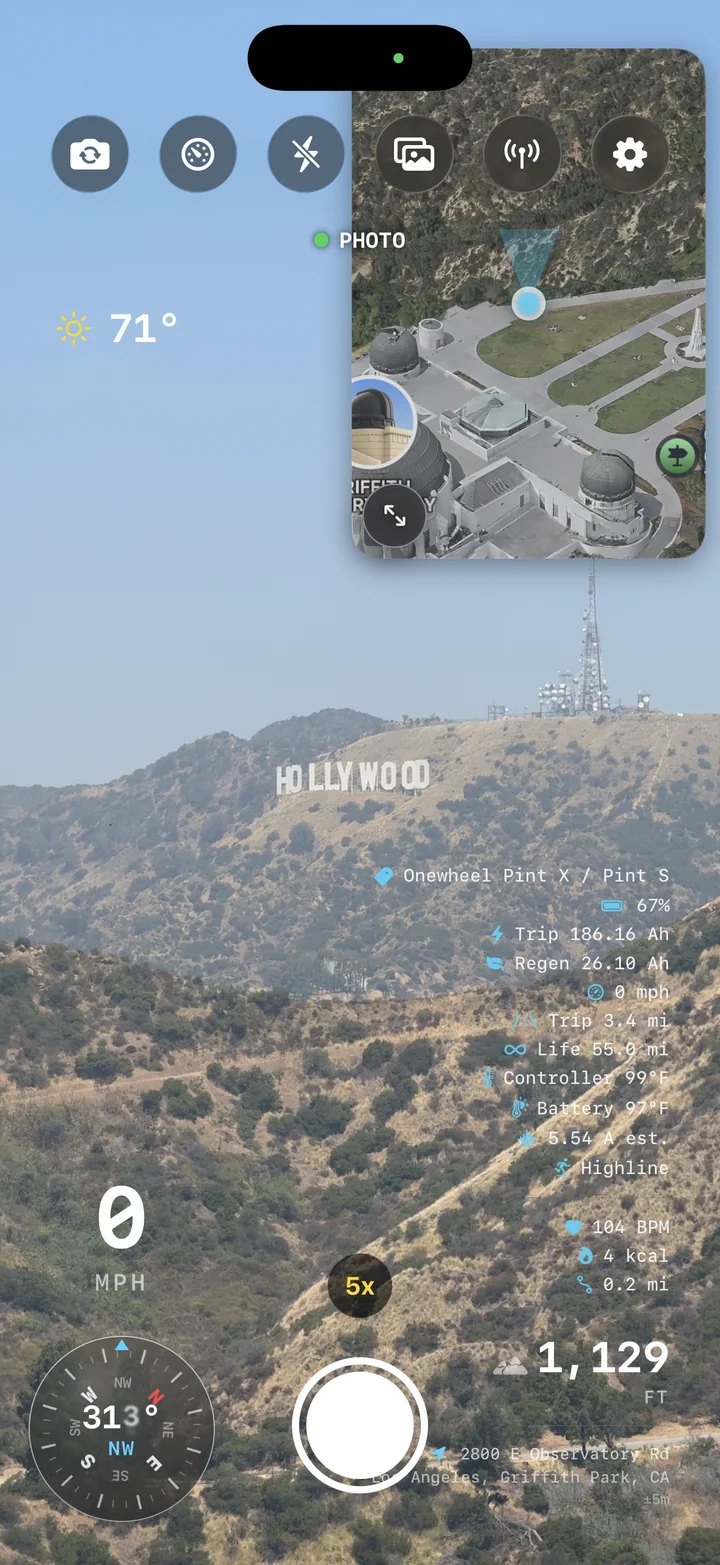
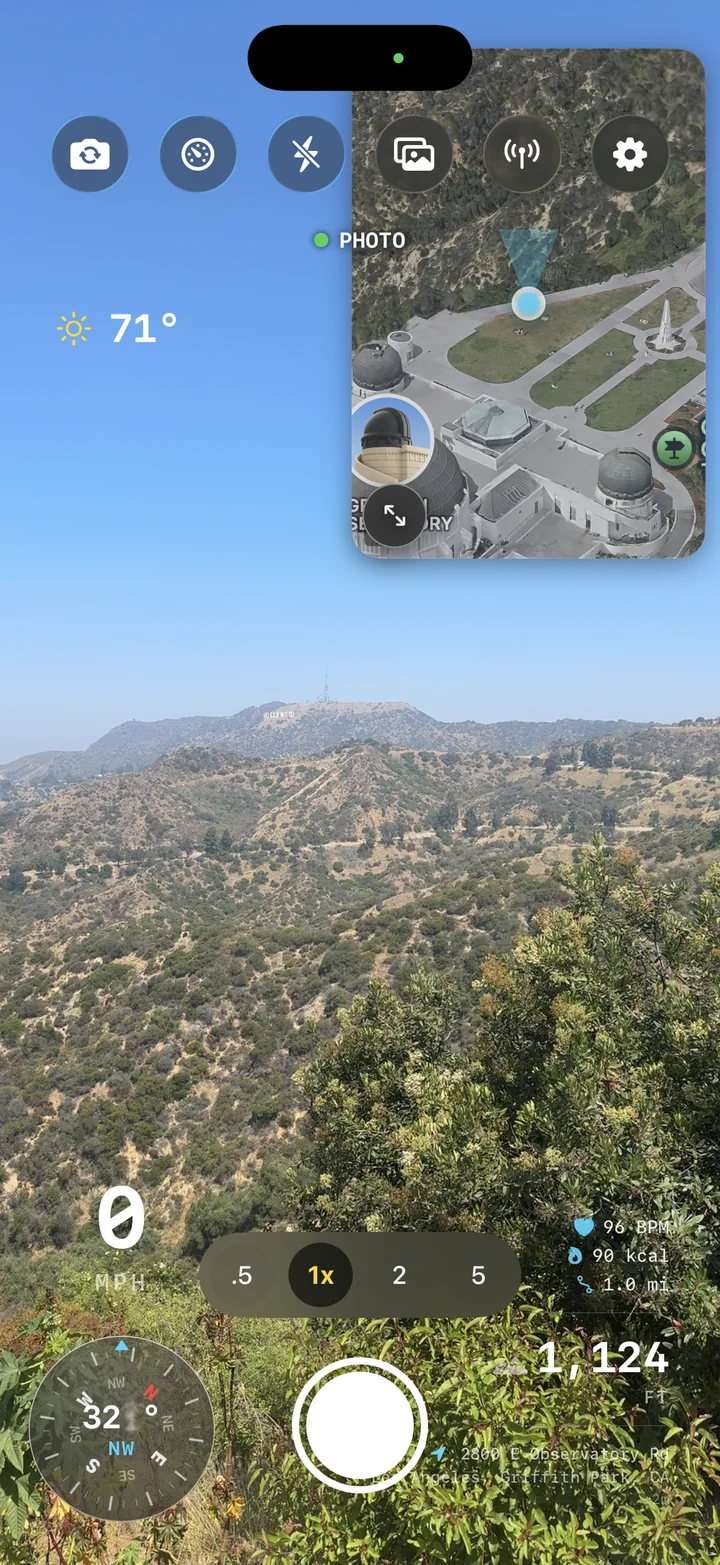
AtlasCam camera screen with mountain footage and live telemetry overlays

Live capture

Frame the shot and the ride data at once.

Start recording from a camera view that already knows your elevation, heading, speed, weather, route, and connected board telemetry. The HUD is made for quick glances, not post-ride cleanup.

  • Speed, altitude, compass, and weather overlays
  • Onewheel board battery, speed, energy, and riding mode
  • GPS logging begins with the clip
AtlasCam telemetry overlay layout controls

Telemetry HUD

Make the numbers part of the story.

Layer the details that matter directly over the footage: pace, climb, direction, location, and conditions. Clips become self-contained records of the line you rode.

  • Designed overlays for action footage
  • Readable data at social-video sizes
  • Custom export layouts for each clip
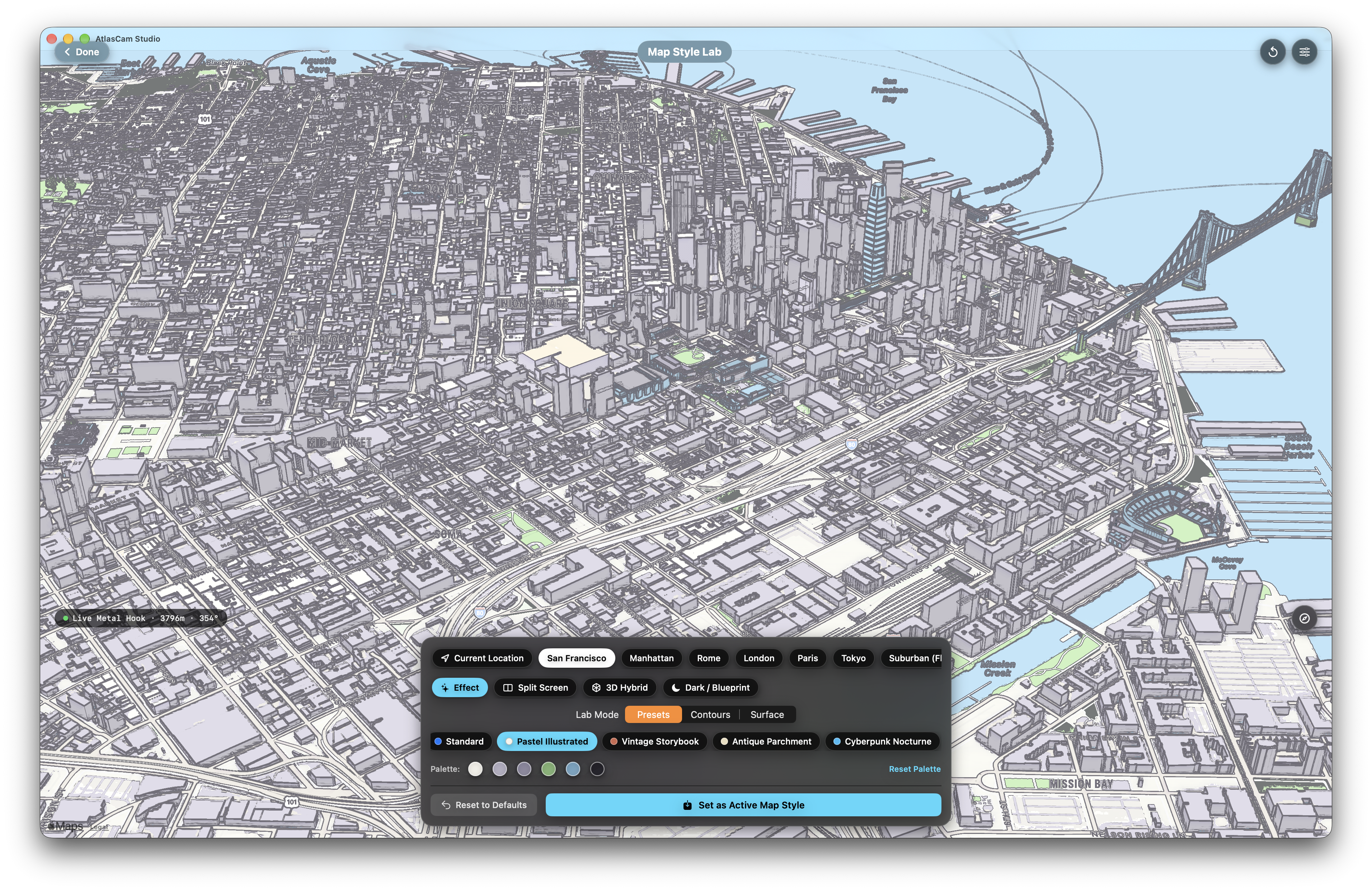
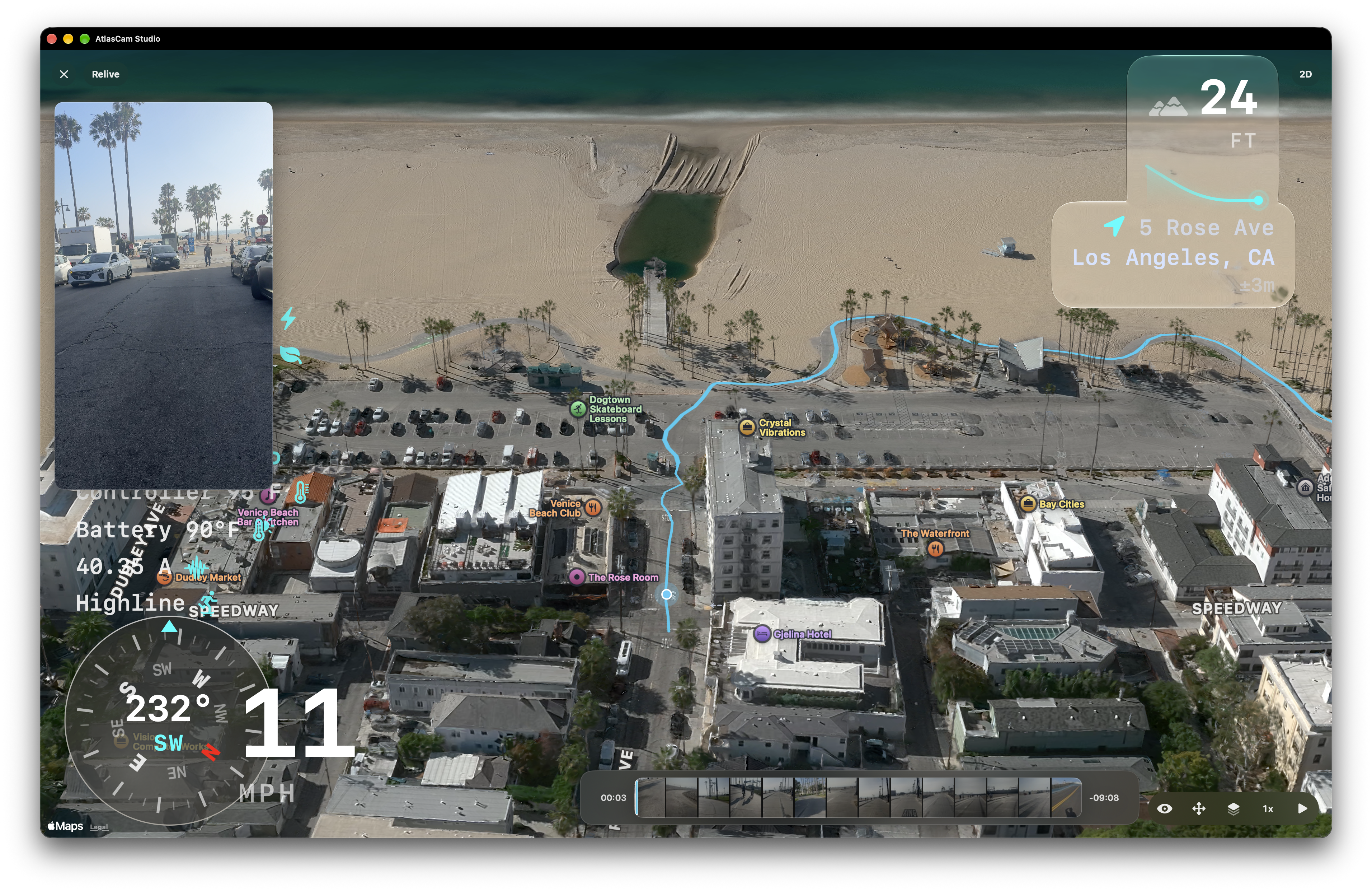
AtlasCam 3D map replay showing a recorded route

3D relive

Replay the line from above.

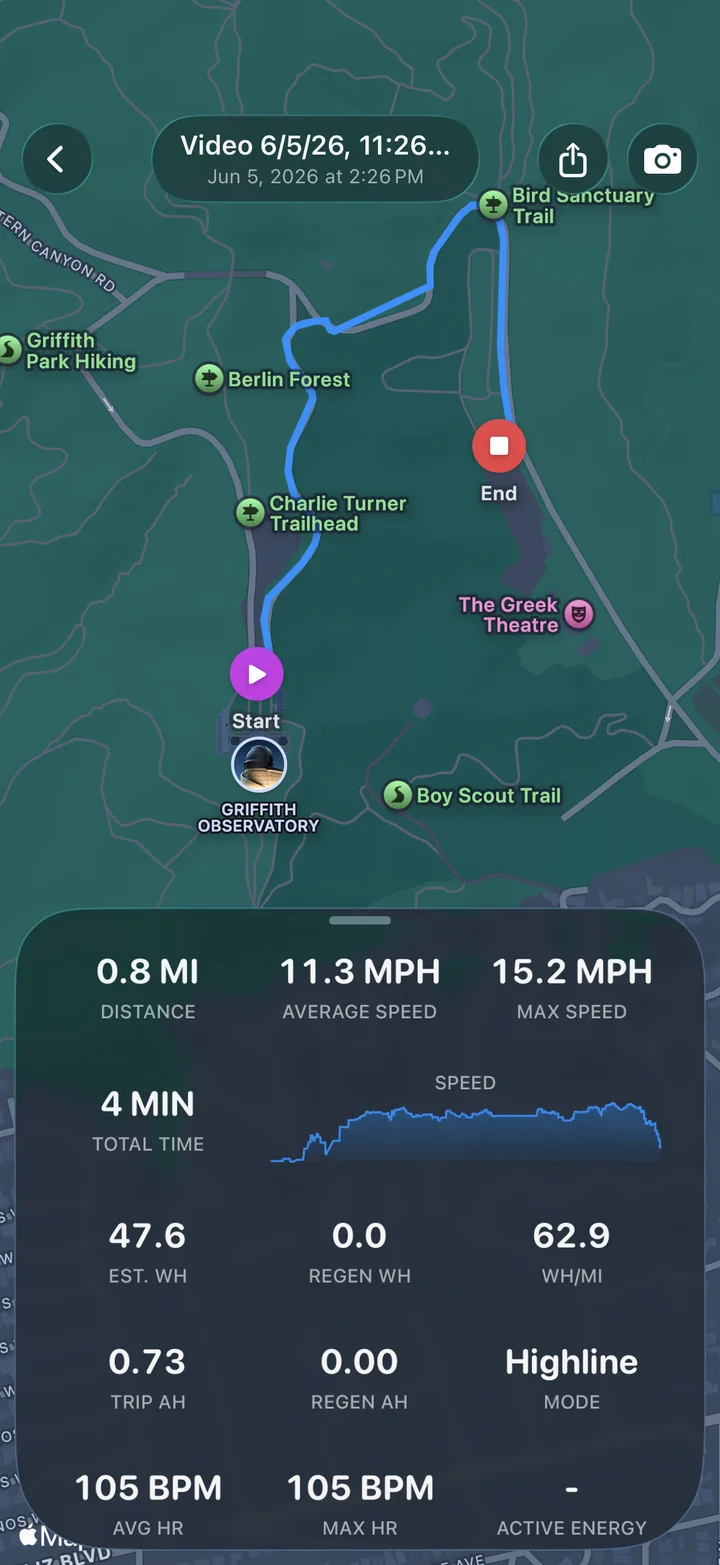
Review each run against a 3D map with the captured video attached. It is built for checking the route, finding the best segment, and reliving the day with more than a camera roll.

  • Route playback with synchronized media
  • Map perspective for turns, climbs, and descents
  • Stats saved alongside each ride
AtlasCam ride stats and export screen

Make Reel

Finish with the clip you meant to post.

Make Reel finds the best 15-second moment around peak speed, frames it for social video, and keeps the free “Shot on AtlasCam” badge visible for discovery.

  • Vertical, square, landscape, or original-format exports
  • Distance, elevation, max speed, and duration
  • #AtlasCamRide sharing prompt after export

Mac companion app

Finish the ride in AtlasCam Studio.

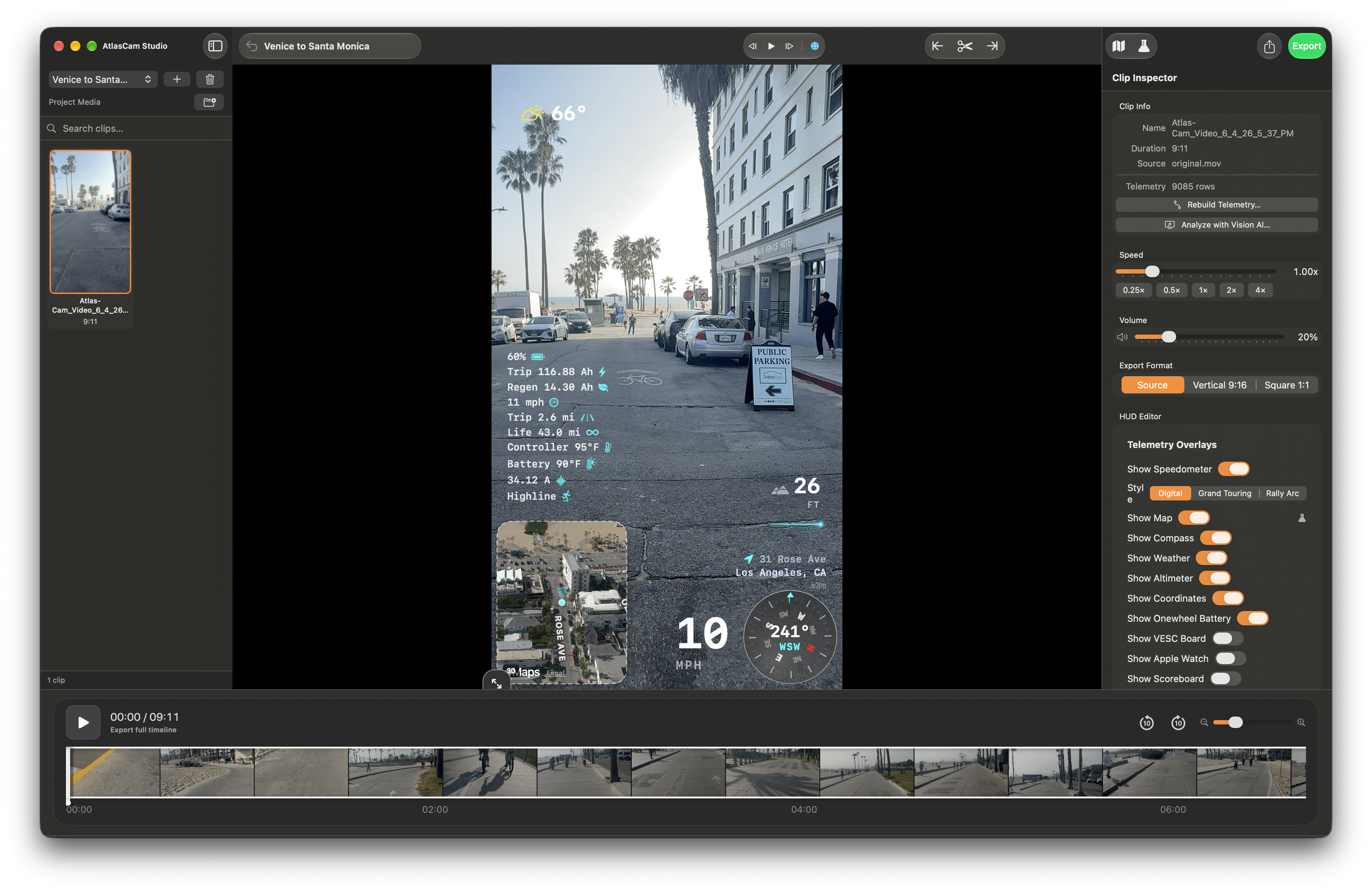
AtlasCam Studio is the desktop editor for ride footage: import AtlasCam clips, tune telemetry overlays, preview the timeline, and export a polished video from your Mac.

AtlasCam Studio editing a ride video with telemetry overlays, map, and export controls

Desktop editing

Bring the phone capture into a real timeline.

Studio keeps the video, synced telemetry, map preview, HUD controls, and export settings together so ride footage can move from field capture to finished clip.

  • Import AtlasCam ride folders and clips
  • Review footage with synchronized telemetry
  • Prepare export-ready videos on macOS
AtlasCam Studio overlay controls for map, compass, speed, weather, altitude, and coordinates

Dial in the HUD.

Toggle and tune maps, compass, speed, weather, altitude, coordinates, and other telemetry overlays from one inspector.

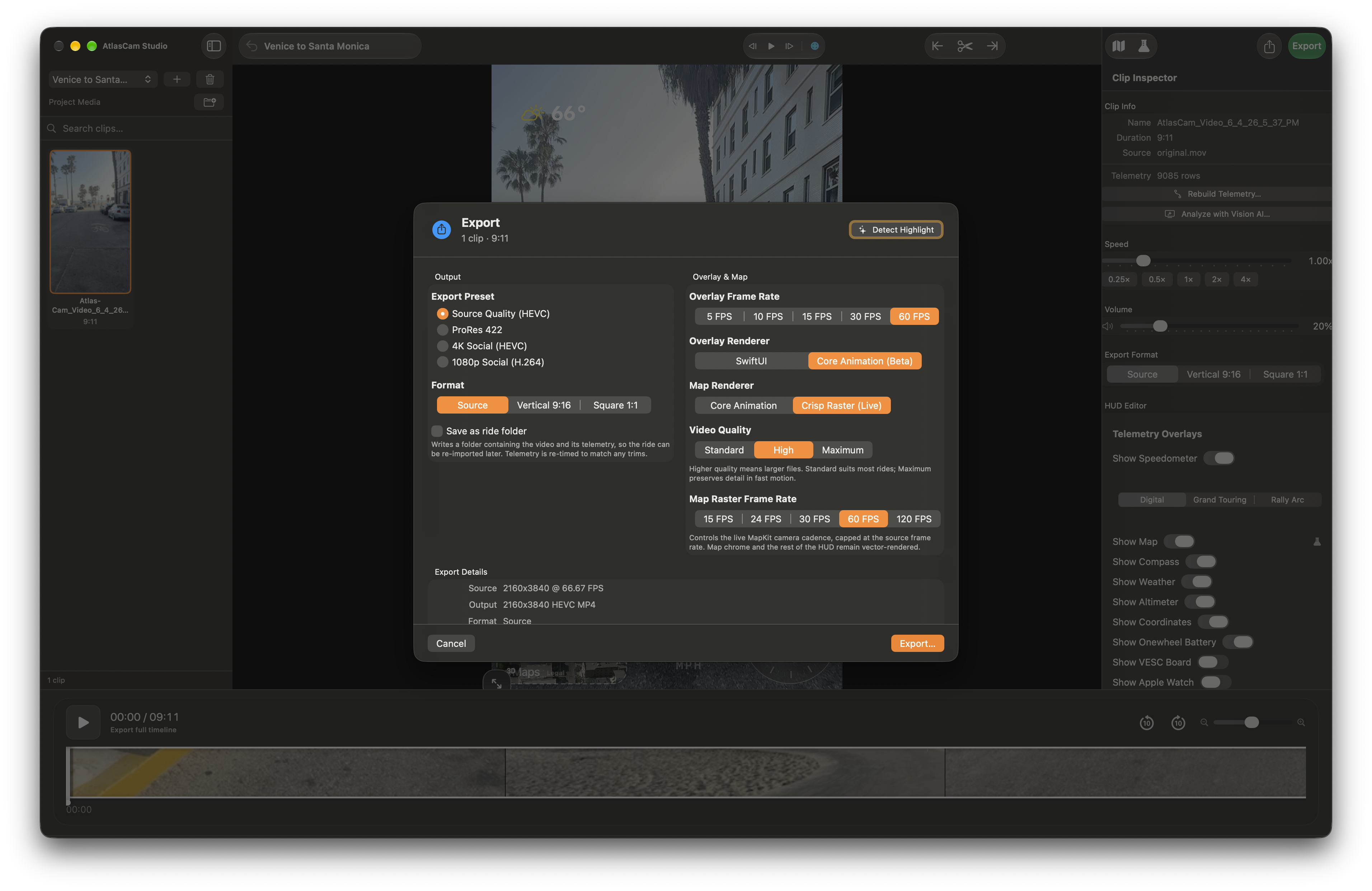
AtlasCam Studio timeline with preview and export controls

Trim, preview, export.

Use a focused Mac workspace for media, preview, timeline, and export controls before sharing the final ride video.

Workflow

From first take to finished clip.

Record

Capture footage while AtlasCam logs the ride underneath it.

Review

Open the ride, check the stats, and scrub the route replay.

Make Reel

Export a 15-second social clip and post it with #AtlasCamRide.

AtlasCam live camera HUD with mountain footage

Ready on iPhone

Your next ride can keep its data.

Download AtlasCam and start recording videos that remember where, how fast, and how high you went.

Download on the App Store